Arduino IDE#
The Arduino IDE 2 is an improvement of the classic IDE, with increased performance, improved user interface and many new features, such as autocompletion, a built-in debugger and syncing sketches with Arduino Cloud.
Note
You will need to use Arduino IDE 2.X to program the EVOX1. If you are using Arduino IDE 1.X, you will not be able to program the EVOX1.
IDE Installation#
Go to the official Arduino IDE download page
Download the version for your operating system:
Windows:
.exeinstaller or.zip(portable version)Mac:
.dmginstallerLinux:
.AppImageorpackagefor your distribution
Install Arduino IDE by following the on-screen instructions
Board Installation#
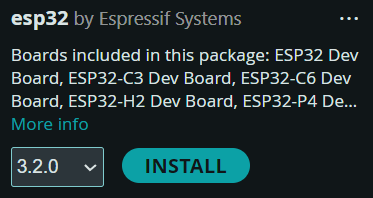
Open the Boards Manager from the left panel
Search for “esp32”
Install esp32 by Espressif Systems board
Library Installation#
Go to to the Evo Github Releases Page
Download the Source code
.zipunder Assets from the latest release.In ArduinoIDE:
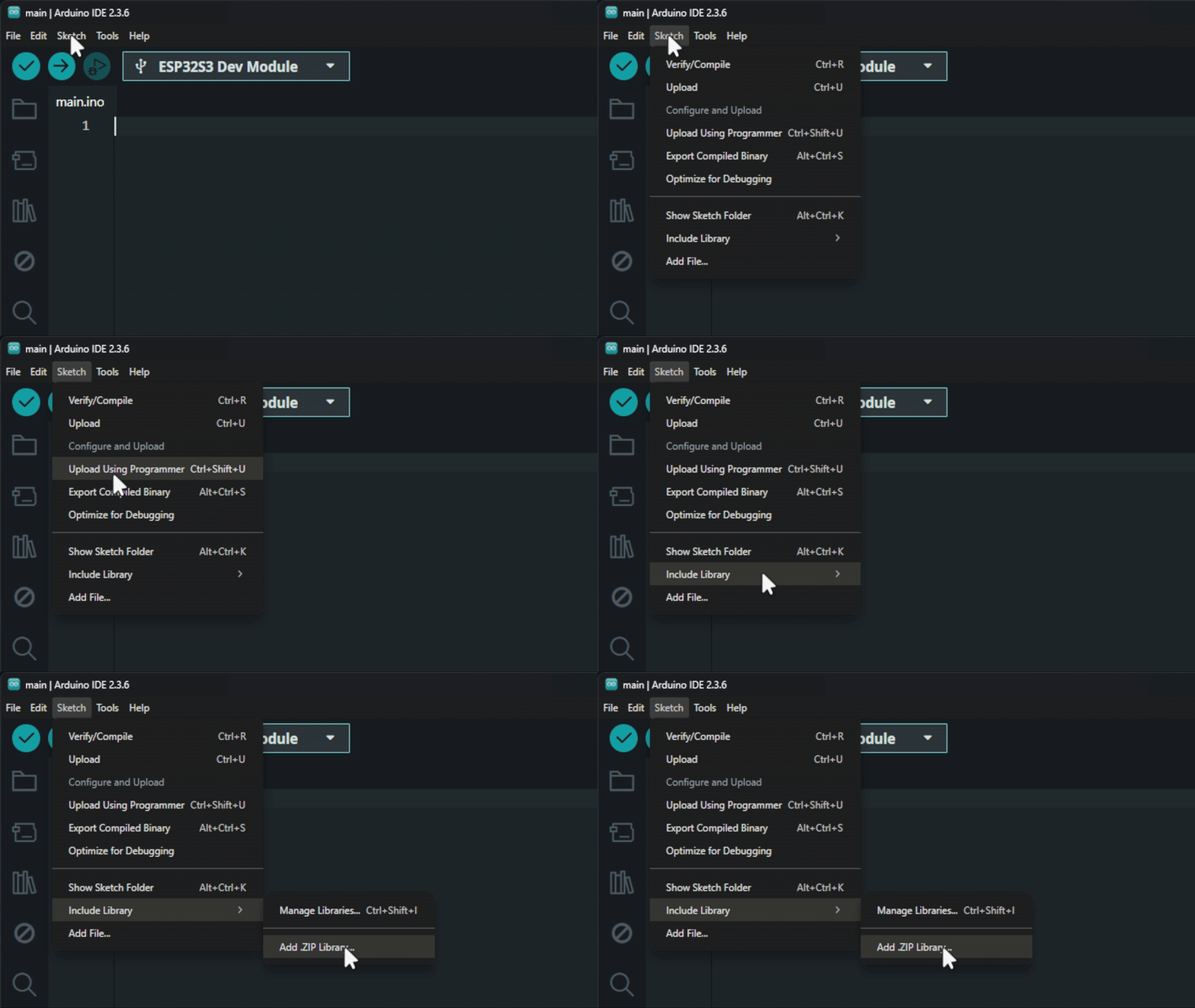
Click on Sketch on the top left bar
Include Library
Add
.zipLibrary andSelect the file just downloaded.
Go to the Libraries tab and search for the libraries listed below. Install them as such.
Adafruit NeoPixelby AdafruitAdafruit PWM Servo Driver Libraryby AdafruitEspSoftwareSerialby Dirk Kaar, Peter LerupESP32Encoderby Kevin HarringtonAdafruit VL53L0Xby AdafruitAdafruit TCS34725by AdafruitAdafruit BNO055by Adafruit
Warning
This list may grow over time, so check back here when new updates are released.
Note
As of version 1.0.0 of the library released on 16/1/2026, installation of additional libraries are no longer required. The libraries are integrated into the Evo library for a more seemless installation expereince.
Updating EVO Library#
To update the EVO library when there is a new relsease available repeat the steps in Library Installation and the library will be overwritten.