PlatformIO IDE in VSCode#
PlatformIO is a cross-platform, cross-architecture, multiple framework, professional tool for embedded systems engineers and for software developers who write applications for embedded products.
IDE Installation#
Before starting make sure to download and install Visual Studio Code.
Open VSCode
Go to the Extensions tab & search “PlatformIO”
Click install
When prompted by PlatformIO, restart VSCode
Setting Up the Project#
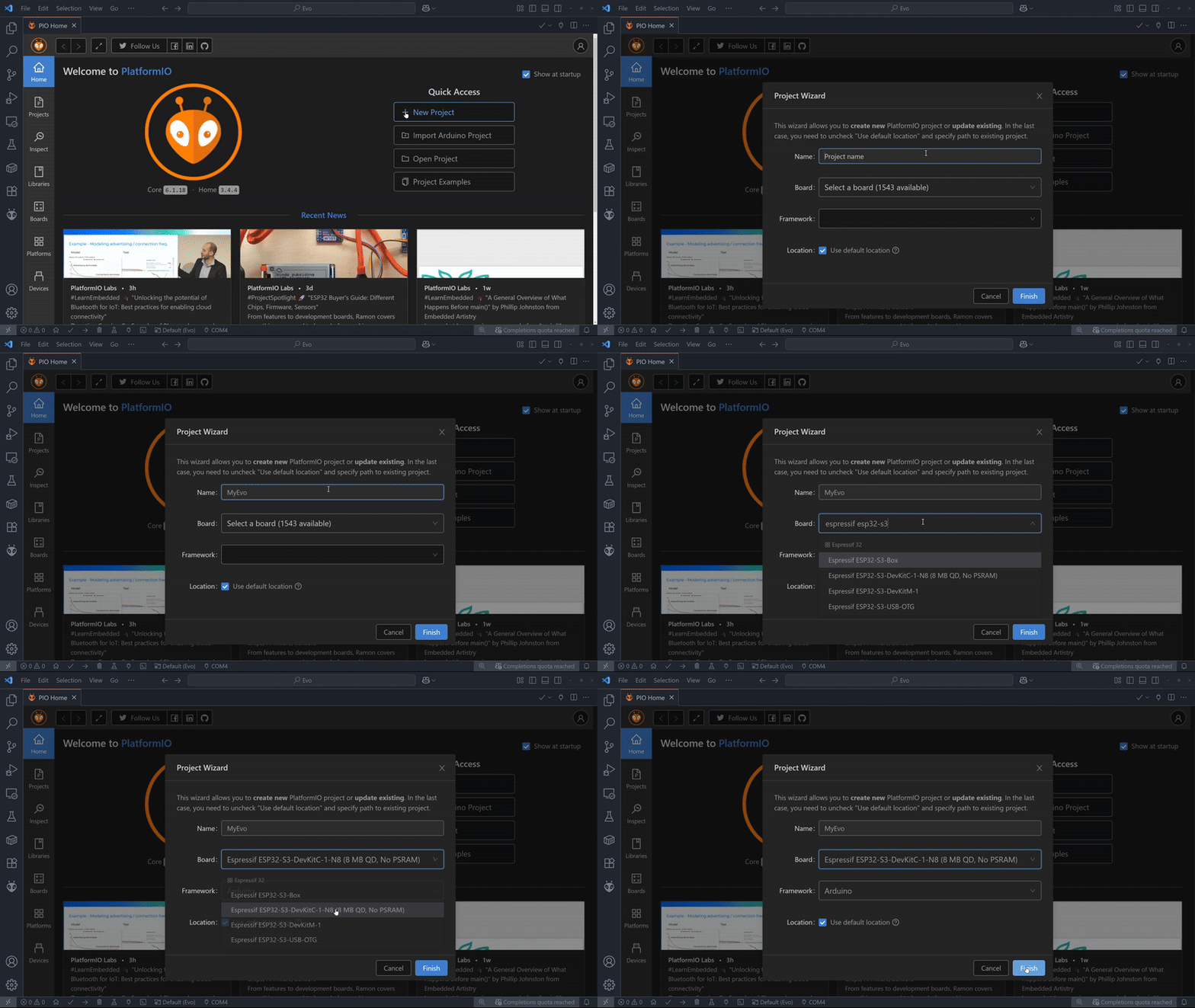
Once you’re on PlatformIO’s Home page, select New Project. The program will then prompt you to choose a name for your project so be creative.
Type in Espressif ESP32-S3 and select the Espressif ESP32-S3-DevkitM-1 board from the boards dropdown menu.
Leave the Framework option on Arduino. The default project path on Windows is Documents/PlatformIO/Projects, but you’re free to save it wherever you like.
After clicking Finish, you’ll need to wait a bit while the board files are downloaded.
Project Structure#
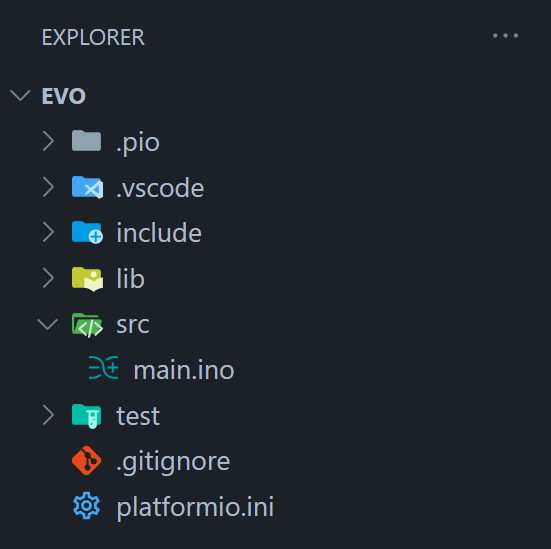
After creating a new empty PlatformIO project you’re ready for the next step. The PlatformIO project structure consists of the following:
|
Project configuration file |
|
Where you should place source code ( |
|
For the project-specific private libraries. |
Note
We will be placing the Evo Library in the lib folder.
Library Installation (Pre v1.0.0)#
Go to to the Evo Github Releases Page
Download the Source code
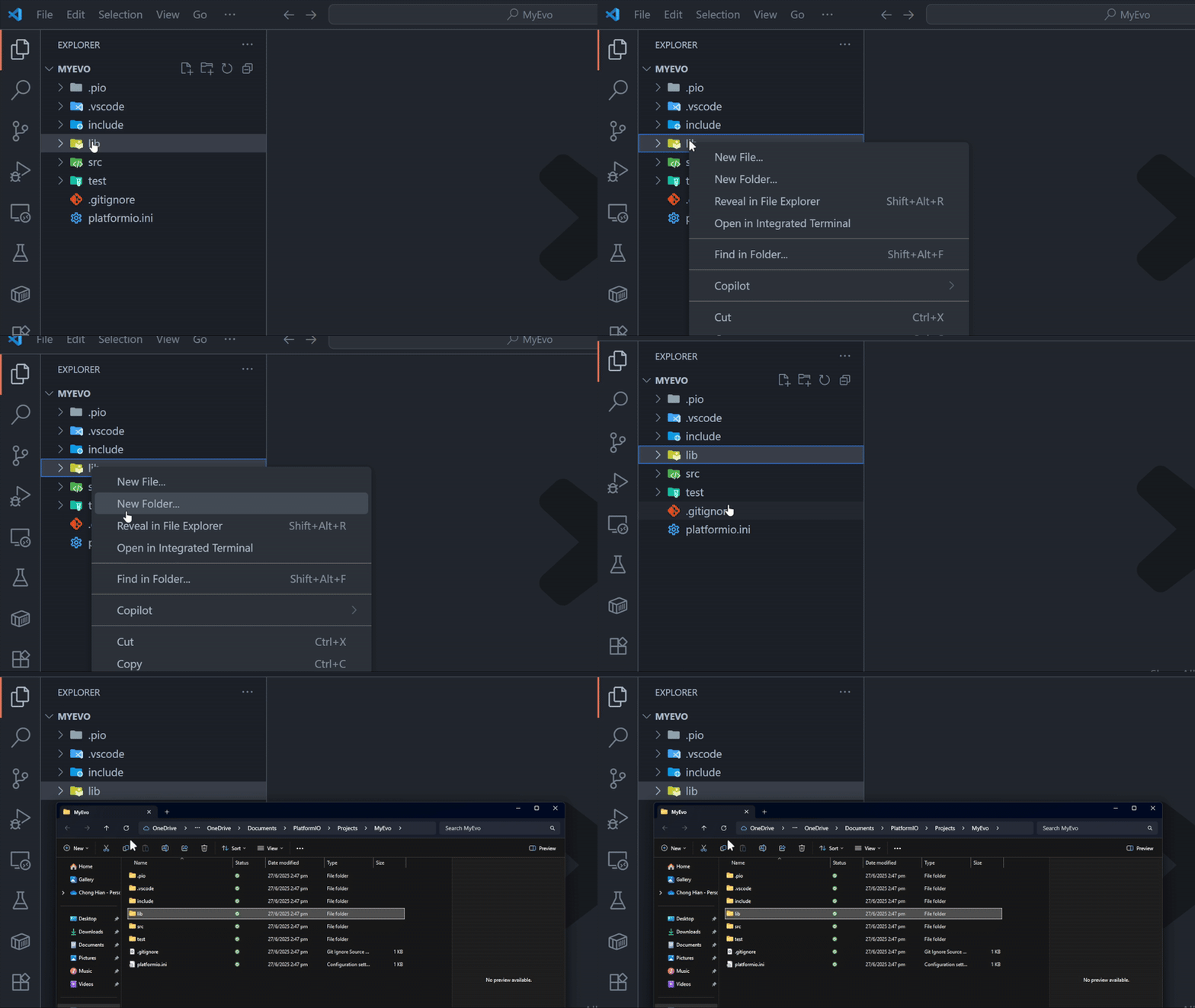
.zipunder Assets from the latest release.In VSCode Explorer:
Right-Click on
libfolder, select “Reveal in File Explorer”
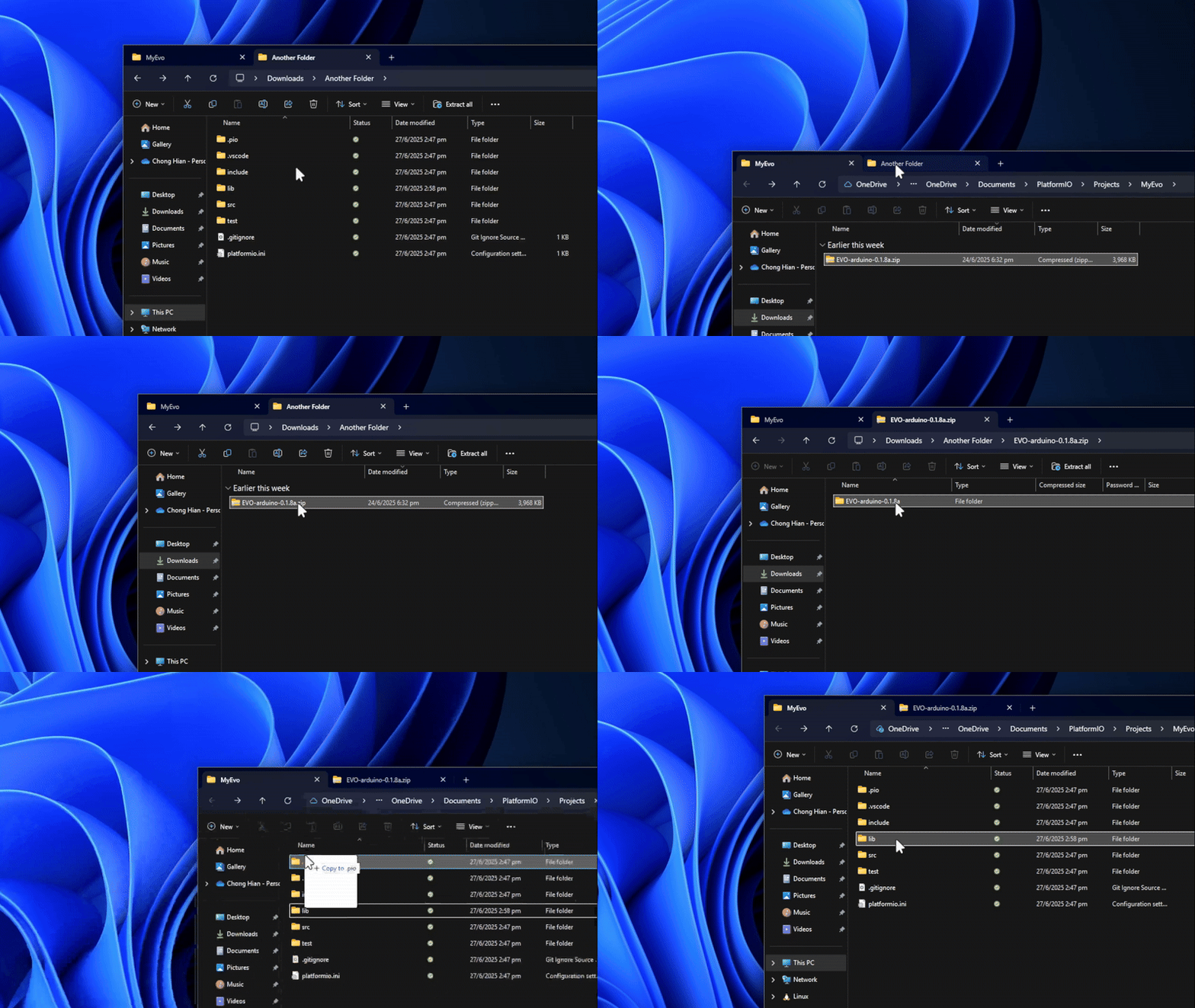
Extract the contents in the
.zipfolder into thelibfolderRename the extracted folder to “Evo”
Go to the Libraries tab and search for the libraries listed below. Install them as such.
Adafruit NeoPixelby AdafruitAdafruit PWM Servo Driver Libraryby AdafruitEspSoftwareSerialby Dirk Kaar, Peter LerupESP32Encoderby Kevin HarringtonAdafruit VL53L0Xby AdafruitAdafruit TCS34725by AdafruitAdafruit BNO055by Adafruit
Warning
This list may grow over time, so check back here when new updates are released.
Go to
platform.inito ensure the library dependencieslip_depare listed correctly.
Library Installation (From v1.0.0)#
Open
platform.inifrom your project folder.Under
lib.depsaddhttps://github.com/ljk1331ljk/EVO-arduino.gitSave the file and PlatformIO will download the library.